Latest Daz Studio 2025 Alpha Updates & 3Delight Announcement

Latest Daz Studio 2025 Alpha Updates

The latest public build of the Daz Studio 2025 Alpha is here—and it’s one of our most feature-rich updates yet. Whether you’re customizing your workspace, managing content more efficiently, or diving into hands-on sculpting tools, this update brings meaningful quality-of-life improvements to your workflow.

And with frequent updates continuing to roll out as we move toward the full 2025 launch, now’s the perfect time to explore what’s new and what’s coming.

New: Geometry Sculptor Arrives for Premier Users

The highly anticipated Geometry Sculptor tool has officially landed in the Studio 2025 Alpha! Available exclusively to Daz Studio Premier members, Geometry Sculptor lets you directly push, pull, and shape geometry right in the viewport.

This first Alpha 2025 release includes::

  • A redesigned viewport manipulator that aligns with Studio’s native tools
  • Visual feedback with a disc or “gizmo” that orients to the surface
  • Polygon, edge, vertex selection and manipulation

Note: The Soft Selection Brush within Geometry Sculptor is still in development, but much of the core functionality is ready to test in this build.

Your Workflows, Streamlined

The new Smart Content Add-Ons and Targets tabs are a game changer. These dynamically surface compatible assets – poses, outfits, materials, and more – based on what you have selected in your scene.

This makes it faster and easier than ever to build up your stylized renders, especially when working with modular toon packs and detailed character customization.

All powered by metadata, so well-tagged content works instantly and intuitively.

Multiple Content Library Panes = More Control

We’ve heard your requests: Since our last blog update, the Content Library pane is now detachable, duplicable, and more flexible.

  • Open two library panes side by side
  • Browse shaders in one, poses in another
  • Drag-and-drop between panes without losing your spot
  • Detach to floating windows for full-screen previews or dual monitors

Whether you’re kitbashing props or building a stylized environment, this upgrade gives you a powerful new way to manage content.

Universal DrawStyle Options

The new Universal DrawStyle system gives artists finer control over how scenes, objects, and surfaces are displayed in the viewport:

  • Scene-Level Control: Set a base draw style for your entire scene (e.g., Texture Shaded, Wireframe, Hidden Line) under Draw Settings > Display > Scene View > Scene DrawStyle
  • Object-Level Overrides: Individually override the draw style per object via Parameters > [Object] > Display > Scene View > DrawStyle Override
  • Surface-Level Overrides: Fine-tune draw styles per surface under Surfaces > [Object] > [Surface] > Display > Scene View > DrawStyle Override

This makes it easier to isolate complex geometry or simplify views while modeling or testing materials—no need to constantly toggle global settings back and forth.

More Customization for Asset Management

New content management features make it easier than ever to work with your library in a way that matches your project or personal preferences:

  • Discreetly hide/unhide individual products or assets
  • Relabel products or assets for improved organization or naming consistency
  • Show/hide orphaned (missing) content, allowing project-based workflows without uninstalling or editing metadata

This means you can dynamically include or exclude mapped content directories depending on what you’re working on—without losing track of your assets.

Script Developer Update: CommonJS Support

For scripters and tool builders, Studio 2025 now introduces support for a subset of the CommonJS module framework—a major step forward in script modularity and reusability. Popularized by ecosystems like Node.js, CommonJS support lets developers structure and manage more scalable, maintainable tools directly within Daz Studio.

Quality-of-Life Improvements

The Studio 2025 Alpha continues to enhance the user experience with important fixes and enhancements:

  • High DPI Scaling is now fully supported—Studio automatically adapts to high-resolution displays, based on configuration settings in the operating system
  • The Color Picker is back: shift-click+drag to grab colors from anywhere on screen
  • Image Preview: Hover over any applied image to preview it, and see the file path at a glance. Bonus: applied images now appear at the top of the menu, regardless of name
  • Customization Updates: Easily reattach panes and build custom actions.

A Note About 3Delight

As Daz Studio continues to evolve , we’re also saying goodbye to some legacy features. With a pending update to Daz Studio 4.24, the 3Delight render engine will be officially phased out at the end of this year due to the conclusion of our licensing agreement.

We understand that some users still rely on 3Delight for specific projects or workflows, and we want to ensure a smooth transition.

Here’s what you need to do:

  • Back up your version of Daz Studio 4.24
  • Save any 3Delight-related plug-ins or add-ons you rely on
  • Consider saving important 3Delight scenes or assets for future use

To ease your transition, below are some instructions on how to back up your current Studio 4.24 copy.

  • In Install Manager, in the Settings Menu (cog icon, top-right), click “Basic Settings…”
  • This will cause the “Basic Settings” dialog to appear
  • In the “Basic Settings” dialog, click the “Package Archive” hyperlink
  • This will cause an OS file browser window to appear, pre-navigated to the folder that holds installation packages
  • In the OS file browser window, on Windows enter *DazStudio424* into the Search field, on macOS enter DazStudio424 (no asterisks) into the Search field
  • This will filter the view to display only files that have “DazStudio424” in their name
  • Copy the files that have “DazStudio424” in their name to a safe backup location

This phase-out will only affect versions going forward – your backed-up copy of 4.24 will continue to function as expected.

Stay in the Loop

As always, we’re updating the Daz Studio 2025 Alpha regularly, with more tools, fixes, and performance improvements coming soon.

Bookmark our Evergreen Studio 2025 Alpha Thread for ongoing release notes and dev updates.

We’re excited about what’s ahead and we’re just getting started.

Summer Hot Picks: 5 Must-Have Products Heating Up the Daz Store

As summer hits its stride, we’re spotlighting some of the hottest products catching fire in the Daz community right now. From cinematic tools to fantasy-ready environments and everything in between, these top picks are fan favorites for a reason. Whether you’re upgrading your workflow or diving into your next render, these five standout products are here to inspire.

Iray Cinematic Cameras

Lights, camera – cinema.

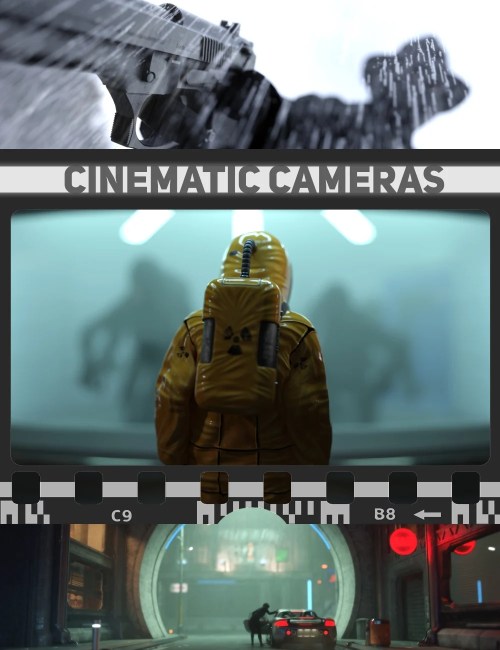
Skip the setup and jump right into cinematic rendering with Iray Cinematic Cameras, a powerful toolset of premade cameras designed to emulate real-world lenses, depth of field, and bokeh with ease. Whether you’re crafting a stylized close-up or a 360-degree panoramic shot, this set delivers pro-level visuals without the fuss. Bonus: tone mapping presets make lighting tweaks a breeze.

Mystic Arch Stream

Find serenity in every pixel.

Wade into peaceful waters with Mystic Arch Stream, a tranquil fantasy landscape where a gently flowing creek winds beneath a weathered stone arch. This lush outdoor environment is perfect for magical quests, quiet moments of reflection, or romantic getaways. Add mist or ethereal lighting to elevate the mood – and let the scene do the storytelling.

Two Body Bundle

Poolside perfection meets fierce fashion.

Summer looks sharp with the Two Body Outfit, a bold bodysuit bundle for Genesis 9, 8, and 8.1 Female. With a range of materials from sporty to sultry, and morphs to enhance every curve, this set delivers versatility with attitude. Pair it with the Wicker Poolside Furniture & Poses for a luxe lounge vibe – plush cushions, natural textures, and 20 stylish poses included.

dForce Archmage

Your dForce workflow – supercharged.

If you’ve ever wrestled with slow simulations or finicky setups, Matew’s dForce Archmage is about to change your world. This all-in-one toolkit speeds up dForce simulations, lets you convert them to morphs or looping animations, and centralizes control into a user-friendly interface. With powerful features like visual bone exclusion, wind presets, and non-destructive editing, you’ll save time and gain total creative control.

Ava 9 HD Character Bundle

Grace. Detail. Storytelling.

With a slender frame, elongated limbs, and sculpted HD features, Ava 9 brings a fashion-forward energy to your renders. The bundle includes everything you need to showcase her versatility: a floor-length wavy hairstyle, a shimmering gold-accented gown, and expressive poses built for drama and fantasy alike. Ava is ideal for high-concept portraiture, mythic scenes, or elegant character studies.

Which one is your favorite? Explore these picks and more in the Daz Store now – and stay cool while your renders heat up.

Lower Prices, Same Great Perks – Daz+ Just Got Better

At Daz, we believe in making creativity more accessible for everyone – whether you’re just getting started or you’re deep into your next 3D masterpiece. That’s why we’re making a change that puts more value back in your hands.

Starting this weekend, Daz+ membership prices are dropping. You’ll soon be able to enjoy everything Daz+ has to offer for just $8.99/month or $69/year.

Whether you prefer to go month-to-month or commit to a full year of savings, the new pricing is our way of making sure more creators can unlock the full Daz+ experience – for less.

Already Signed Up at Full Price? We’ve Got You.

If you recently joined Daz+ at the original price of $9.99/month or $99/year, don’t worry – we’ll be adjusting your current membership early next week.

Annual members will receive 3 extra months, and monthly members will get 1 extra week. We’ll be sending you details shortly. No need to reach out or fill anything out – we’ve got it handled.

More Than a Discount: Everything You Get with Daz+

The perks of Daz+ go beyond the discount – and they’re built to support your creative flow all year long:

  • Exclusive member pricing on Daz+ products, with new content added daily this month during our Member Summer Sale
  • Monthly and weekly legacy freebies to help expand your library
  • $6 off Daz Originals coupon each month
  • $6 off $18 coupon on select content monthly
  • Boosted Token System – earn 1 token for every $10 spent (vs. $15 for base members)
  • Access to exclusive Daz+ forums and community gallery

Plus, all the Base perks like our free Daz Studio software, free Genesis Starter Essentials, and cross-platform exporters to add more to your creative process.

It’s a Great Time to Join (or Rejoin)

With our Member Summer Sale in full swing, there’s never been a better time to explore what Daz+ has to offer – now at a lower price point that’s designed to help you do more with your budget.

Welcome (or welcome back) to the Daz+ community.
We’re glad you’re here.

Daz AI Studio: Important Update

We have an important update to share: Daz AI Studio will be winding down at the end of May 2025.

First, we want to extend our sincere thanks for your support and enthusiasm for AI Studio. This change comes as a result of our current partner discontinuing support for the APIs that power key features of the service. While this means we’ll be closing the current chapter of Daz AI Studio, it also opens the door for new opportunities and possibilities. We’ll continue exploring new partnership opportunities and will keep you, our valued customers, informed along the way.

All existing subscriptions will be honored through the end of their term, but no new subscriptions or renewals will be available after May 29, 2025.

Introducing the Daz Outlet Store: A New Way to Save

At Daz, we’ve always believed that creativity should be within reach, no matter what’s happening outside your studio or workspace. That’s why we’re introducing the Daz Outlet Store – a collection of quality assets offered at everyday low prices.

Think of it as our version of a value menu: reliable, affordable, and always open.

Whether you’re new to Daz or a longtime creator trying to stretch your budget further, the Outlet Store is here to help you keep creating without compromise. We’re not cutting corners – we’re simply making it easier to access great content when it matters most.

Thank you for being part of the Daz community. We’re committed to supporting you every step of the way.

– The Daz Team

Explore the Outlet Store here.

Daz Studio 4.24 General Release: Helpful New Tools for All Users

Daz Studio 4.24 is officially available – bringing with it a collection of helpful upgrades and improvements that streamline workflows, improve performance, and offer deeper control across your projects.

Daz Studio 4.24 has been months in the making, with Premier members first to explore new tools and workflows during the Beta period. Thanks to their valuable feedback, we’ve fine-tuned advanced filtering, enhanced the Spot Render tool, and more. Now, in the General Release, these features – along with other bug fixes – are available to all Daz Studio users, refined, tested, and ready for your next big scene, regardless of membership tier.

See our change log for a more detailed look at the changes.

Formerly Premier-Only: Now Available to All

As of Daz Studio 4.24, two great toolsets previously gated behind Premier Early Access are now part of the core application experience.

Advanced Filtering Updates

The Advanced Filtering system in Daz Studio 4.24 has been extended to make navigating complex scenes and managing large libraries faster and more robust. Building on the features introduced in 4.23.1.27, these updates bring greater control over how you find and manage properties, assets, and nodes in the scene.

In Property Views
Property Views in 4.24 support advanced syntax-based filtering, allowing you to easily locate and adjust properties across multiple panes, including:

  • Parameters
  • Posing
  • Shaping
  • Surfaces
  • Lights
  • Cameras
  • Draw Settings
  • Render Settings
  • Simulation Settings

This significantly reduces the time spent hunting through property trees, especially in large, intricate scenes.

In Content Library Pane
The Content Library pane in 4.24 includes the ability to save and apply Advanced Filtering expressions, giving all users, regardless of membership tier, more control over their content searches. If the search type is in Advanced, you can hold down the Search button and access options to filter content based on attributes such as:

  • Keyword
  • Name
  • Group
  • Date (created/updated)

Create your own filters using Advanced Filtering documentation syntax, save them, and access them with a long press of the Search button whenever needed. This makes it easier to navigate your Content Library, especially for users with extensive collections.

Unified Filter Builder Across Panes

Daz Studio 4.24 introduces a helpful new filter builder, designed to make advanced filtering more accessible to all users, including those who may not be familiar with filtering syntax. The “Build Filter…” action, found in the menu displayed when clicking the common magnifying glass icon, is now available across multiple panes, including Smart Content > Files, Smart Content > Products, Parameters pane (Editor page), Shaping pane (Editor and Presets pages), Posing pane (Editor and Presets pages), and Scene > Outline page.

This unified system allows users to build contextual filters based on the specific context of each pane, such as shaping filters or product filters, without the need for advanced knowledge of syntax. By offering an intuitive interface, the filter builder helps streamline the filtering process and empowers novice users to take full advantage of advanced filtering features with ease. All filters built using this system are stored consistently across views, ensuring a smooth and efficient experience when managing complex scenes and assets.

These improvements streamline workflows and make managing properties much more efficient, particularly for users working with complex scenes or expansive shaping libraries.

Spot Render Tool Enhancements

The Spot Render Tool has been significantly enhanced to offer more precision, feedback, and control over your rendering workflow. Traditionally, the Spot Render Tool allowed you to quickly render specific areas of a scene, saving time by not needing to re-render the entire scene. The latest updates elevate this tool to a new level of versatility and efficiency:

New “Manual” Start Mode: You can now define specific render regions with greater accuracy. This mode allows you to view and edit the render area coordinates directly in the Tool Settings pane, ensuring you have precise control over which parts of your scene are rendered.

Editable Render Area Coordinates: The ability to not only see but edit the render area coordinates directly gives you finer control, allowing you to target exactly where you need to render, whether for a quick test render or a more refined area of your scene.

Customizable Context Menu: A new, customizable, Spot Render context menu has been added, which enables the use of custom scripts and actions. This provides even more flexibility in your workflow, letting you tailor the tool to fit your specific needs, whether for batch rendering, automation, or custom shortcuts.

Access these options by opening up the Tool Settings pane after selecting the Spot Render tool.

These enhancements streamline your rendering process, making the Spot Render Tool more versatile and efficient. This is particularly useful for artists working with limited time or GPU resources, as it eliminates the need to render an entire scene just to tweak a small section. The tool allows for more targeted renders, so you can focus on specific areas for fine-tuning or overlays, especially when integrating renders into third-party editing software.

Other Enhancements Now in General Release

In addition to the features mentioned above, Daz Studio 4.24 includes all the improvements introduced in the 4.23.1.27 Public Build. These enhancements have been tested and refined over the course of the Beta cycle and are now fully integrated into the General Release:

  • Improved interface responsiveness and visual consistency
  • Updates to viewport behavior and layout memory
  • Minor bug fixes and under-the-hood performance optimizations

These updates may be less visible, but they contribute to a smoother, more stable creative experience overall.

To get a full breakdown of these, head to our Highlights thread to learn more.

AutoSave in Daz Studio 4.24

While Daz Studio 4.24 introduces many new features for the broader user base, one notable tool remains exclusive to Premier members: the refined AutoSave feature, now available in its fully functional form. Having evolved from its Beta iterations, the AutoSave Pane and Toolbar offers:

  • Automatic scene backups at customizable intervals
  • A centralized interface for browsing and restoring auto-saved versions
  • Increased reliability and protection during extended or complex projects

This feature ensures peace of mind as you work on intricate scenes, with automatic backups to safeguard your progress. If reliability and protection are priorities in your workflow, check out our Daz Premier membership.

Premier gives you access to the best discounts, free character bundle monthly, exclusive 3D software, and so much more.

Here is a quick look at some of our Premier perks:

– Monthly free content found in the exclusive Daz Studio Premier software
– Maximum amount of store savings out of any tier
– Special monthly coupons and saving offers
– Boosted Token Rewards system
– and more!

Download Daz Studio 4.24 Today

Daz Studio 4.24 is now available for download through the Daz Install Manager (DIM). Just open DIM, install the latest version, and start exploring all the new features now available to all.

Whether you’re returning from the Public Build or stepping into these tools for the first time, 4.24 is here and ready to support your creative vision. Discuss with other users and learn more over at our forums.

April’s Daz Hot Picks: Realism, Versatility, and a Touch of Cyberpunk

From hyper-realistic details to genre-expanding tools and characters, April’s top products sparked creativity across the Daz community. Whether you’re building immersive worlds, telling deeply personal stories, or dialing in fine anatomical enhancements, this month’s most-loved releases delivered. Explore the standouts below and see what made April a month to remember.

Lyna 9 HD Character Bundle

Lyna 9 brings sci-fi flair and cyberpunk charisma to Genesis 9. Designed for cinematic storytelling, Lyna’s bundle includes HD textures, cybernetic features, and standout add-ons like the M3D Xyber Vision eye system and dForce Bixie Cut Hair. Her high-tech Dark Web Dive Outfit completes the look with glowing accents and sleek armor details. If you’re crafting futuristic narratives, Lyna’s your go-to lead.

Tip: Pair Lyna 9 HD with Stonemason’s Cyberpunk Kitset to instantly drop her into a world as striking as she is. With over 250 meticulously crafted props—think neon-lit buildings, tangled cables, glowing signage, and grimy street clutter—this kit gives you the ultimate urban sprawl playground. Whether you’re staging a moody alleyway standoff or an epic cityscape chase, the included Neon Core environment, complete with volumetric steam, camera presets, and render-ready settings, makes every frame cinematic.

Smart Enhancing System for Genesis 9

Say goodbye to awkward lower-body poses. The Smart Enhancing System improves realism in seated and cross-legged poses by refining the thighs, buttocks, shins, and groin areas in real time. Designed for Genesis 9, it eliminates distortion and creates natural deformations—especially when characters are in tight or complex positions. Customizable controls and included pose templates make this a must-have for artists seeking flawless anatomical flow in animation and posing.


SkyRay Ultimate: Worlds Builder

Build vivid, multi-style environments in minutes with this expansive update to the SkyRay Worlds series. The SkyRay Ultimate bundle includes 22 modular assets plus 14 positioned combos—everything from cliffs and jettys to bridges, trees, and water features. Fully compatible with previous SkyRay packs, this release also includes 10 ready-made 360° scenes and a dynamic SkyDome with sundial presets to capture the perfect time of day in your world.

URHD Ultimate Pregnancy Bundle for Genesis 9

This three-part Ultimate Pregnancy Bundle gives creators everything they need to depict the beauty and complexity of pregnancy in their work. Featuring detailed morphs, layered textures (like stretchmarks, Linea Nigra, and C-section scars), and a wide selection of maternity props and poses, this set brings a new level of authenticity to character-driven scenes. The HD morphs for breasts, nipples, and navels add even more anatomical nuance, making this a standout for realism-focused artists.

Chloe 9 HD Character Bundle

Athletic, confident, and full of energy, Chloe 9 is a petite powerhouse with HD sculpted muscles and a fresh, sporty aesthetic. The full bundle includes Chloe 9 + Chloe 9 HD Add-On, a stylish updo hairstyle using OmniHair shaders, a denim-and-leather outfit that adds just the right touch of edge, and of course – the perfect workout outfit to hit the gym with. She’s ready for slice-of-life scenes, urban adventures, or active poses that show off her dynamic form.

SY Natural Flush and Farmer Tan for Genesis 9

This unique Natural Flush and Farmer Tan set celebrates the natural variations of the human body with LIE presets for flush, sweat, and tan effects. From sun-kissed shoulders to flushed cheeks and even sandal or ring tan lines, every detail is layered for flexibility and realism. The set supports a variety of skin tones and works great with tattoos, makeup, and other LIE-based overlays. A separate sweat shell adds realism to workout scenes or hot summer days.

Looking Ahead

April’s standout releases offered a powerful mix of realism, flexibility, and storytelling potential. Whether you’re refining characters for emotional depth, creating expansive worlds, or adding that extra bit of detail to truly sell a scene, this month had something to level up nearly every workflow. Be sure to explore these top picks in the Daz 3D Store—and stay tuned for what’s coming next in May.

Introducing Daz Studio 2025 – Alpha Release

The next era of Daz Studio is in development, and we’re inviting you to take an early look.

The Daz Studio 2025 – Alpha Release is now available to all users via the Public Build release channel inside Daz Install Manager (DIM). While it’s still a work in progress, this early version includes several key updates we’re excited to share. It’s your chance to explore what’s ahead and help shape the future of Daz Studio!

What’s New in the Alpha Release

An Improved Viewport and Application Experience  

The 2025 Alpha introduces a modernized framework that improves the overall performance and responsiveness of Daz Studio.  Key updates include:

– Core infrastructure enhancements that deliver a smoother, more refined interactive experience.

– Faster asset loading (approx. 3x), with noticeable improvements when working with Genesis 9 content.

– Completely rebuilt viewport architecture that utilizes modern graphics libraries – OpenGL 4.1 minimum on Windows, Metal 1.2 minimum on macOS.

– Completely rebuilt DrawStyles that offer better out-of-the-box visuals.

– Wireframe drawing is now available as an option for the NVIDIA Iray DrawStyle – now aligns with the Filament DrawStyle.

– A new texture loading indication enhances usability by providing more obvious visual feedback during asset/scene loading. It also reduces the amount of time between loading assets and being able to interact with the scene (while textures continue to load in the background).

– New customization options for selection highlighting and easier scene management—especially in large or complex projects.

Compatibility and Hardware Improvements  

– The FilaToon Shader is now Mac-compatible, allowing users to create bold cel-style shaded, anime-inspired visuals using the Filament DrawStyle.

– Support for NVIDIA 50XX series graphics cards and new driver requirements for them.

– New scripting engine that expands the capabilities of the scripts you can write in Daz Studio.

Strand-Based Hair Editor: Now Integrated Directly in the Viewport

In Daz Studio 2025, the Strand-Based Hair Editor is no longer limited to a modal dialog—it’s now a fully integrated viewport tool, making it easier and more intuitive to style and shape strand-based hair directly within your scene.

To begin editing strand-based hair, you’ll need to either create or select a strand-based hair object on a surface that has geometry—since hair needs a mesh to grow from. Once that’s set, you can activate the Strand Hair Editor tool in several ways, but the simplest method is to go to Tools > Strand Hair Editor.

Once the tool is active, you’ll find its editing controls in the Tool Settings pane, giving you immediate access to styling functions and settings without leaving the main viewport.

This update streamlines the strand hair workflow and makes the entire editing process more accessible, visual, and responsive, bringing greater creative control directly to your fingertips.

Plus, Visual Updates and More to Come!

What you see in the Alpha Release is just the beginning. Even more features and improvements are coming with the full launch of Daz Studio 2025.

How to Get the Alpha  

Try the new Alpha today via our Public Build Channel in DIM. 

Follow these steps:

  • If you haven’t already, download and install Daz Install Manager (DIM). It’s free and easy to do. 
  • Open Install Manager and log in with your Daz account.
  • Click the “Download Filters” button on the “Ready to Download” tab.
  • Scroll down to the “Release Channel Tags” section and make sure the “Public Build” box is checked. If it isn’t, click it to enable the option. Then hit “Accept”.
  • Type “Daz Studio 2025” into the filter field.
  • Download and install.

For more information and a place to discuss the Daz Studio 2025 Alpha, check out our Forum thread. 

Note: The Studio 2025 Alpha Release is only available through Install Manager, consists of its own unique set of SKUs, and does not affect the 4.x release channels.

A Few Things to Keep in Mind  

This is an ALPHA build—meaning features are still under development and bugs are expected. We’ll continue rolling out updates and improvements as we work toward the full release.

Your Feedback Matters  

Head to our forum to discuss the 2025 Alpha with fellow artists and creators. Whether you’re reporting issues or sharing ideas, we’re listening.


New Features in Daz Studio 2025 Alpha

Enhancements to DrawStyles

Daz Studio 2025 Alpha introduces several exciting updates to the DrawStyles settings that significantly improve how you visualize and interact with your scenes, especially when dealing with textures and meshes. These updates bring new functionality that enhances your workflow and speeds up scene loading.

  1. NVIDIA Iray: Draw Node Wireframe
    A new feature has been added under the “Drawing” property group: the Draw Node Wireframe property. This toggle allows you to display the wireframe of meshes overlaid on top of the rendered surface in Iray. This feature provides consistency with the Filament DrawStyle (available since 4.12.2.51), giving users a more flexible way to work with complex meshes and wireframes in their scenes.
  2. Texture Shaded: Temporary Blue Surface During Loading
    In the Texture Shaded mode, Daz Studio now temporarily displays a blue surface when texture images are still loading. This new feature mirrors a similar capability in Filament’s DrawStyle (since its early versions) and improves workflow by allowing you to start interacting with your objects even before textures are fully loaded or resampled. This results in a faster, more efficient setup when dealing with texture-heavy scenes.
  3. Wire Texture Shaded: Temporary Blue Surface During Loading
    The Wire Texture Shaded mode has also been updated with the same temporary blue surface feature when textures are still loading. Like Texture Shaded, this helps to speed up the process of scene visualization, letting you continue working on your scene while textures are being finalized. It ensures smoother performance, especially with complex models, and mirrors the functionality found in Filament’s DrawStyle from the outset.


New Visual Feedback Options for Selection Tools

Daz Studio 2025 Alpha introduces a new Selected Style setting in the Tool Settings pane for the Universal Tool and its derivatives (Rotate, Translate, Scale). This update enhances how you interact with and visualize selected nodes, giving you more control over the visual feedback during scene manipulation.

New Selected Style Options

The Selected Style setting offers a range of options for how the selected nodes (objects or elements) are highlighted in the viewport. This includes three distinct feedback styles:

Cues: The default option, which draws the bounding box corners around the selected node(s), similar to how selection is drawn in previous versions (4.x).

Wireframe & Cues: In addition to the bounding box corners, this option also draws the wireframe of the geometry associated with the selected node(s) using the selected highlight color, providing a more detailed view of the selected object’s structure.

Halo & Cues: This option draws a halo effect around the perimeter of the selected node(s) and retains the bounding box corners. The halo uses the selected highlight color, providing a more visually distinct and noticeable effect, making it easier to track your selection in complex scenes.

Each of the derivative tools (Rotate, Translate, Scale) maintains its own Selected Style setting, giving you even more flexibility to customize how selections are visualized depending on the tool you’re using.

These options give you more control over how selections are visualized, similar to the selection style in the Surface Selection tool, making it easier to work with and manipulate selected nodes in your scenes.


Improved Hardware Compatibility and Enhanced Render Engine Support

Daz Studio 2025 Alpha brings better hardware compatibility, ensuring that the latest GPUs are fully supported, improving performance and rendering capabilities.

  1. NVIDIA Iray 2024: Support for Blackwell (50 Series) GPUs
    Daz Studio 2025 Alpha supports Blackwell (50 Series) GPUs, providing enhanced rendering performance for users with the latest NVIDIA graphics cards. This update ensures that users with newer hardware can take full advantage of the power and efficiency these GPUs offer.
  2. Adaptive Subdivision/Displacement
    The Iray 2024 update also includes support for adaptive subdivision/displacement, improving rendering speed and quality. This feature dynamically adjusts the level of detail during rendering, ensuring that complex models are rendered with more accuracy without unnecessary computational overhead. The result is faster render times, better performance, and sharper visuals for high-detail scenes.

Expanded Scripting Capabilities

Daz Studio 2025 Alpha introduces an updated, more powerful, scripting engine that gives technical users greater control and automation potential within the software. One noteworthy addition: scripts can now restart the application with custom parameters.

For developers or advanced users, this means you can write scripts that not only close and relaunch Daz Studio automatically but also pass in file paths and command-line arguments, just like launching a scene by double-clicking it in your file explorer.

This functionality opens the door to more advanced workflows—such as scripted scene handoffs, batch processing sequences, or automated relaunches with specific environment setups.

Whether you’re building tools, automating workflows, or developing pipelines around Daz Studio, these scripting enhancements offer deeper flexibility for power users.

Try it today via the Public Build channel in Daz Install Manager! 

March’s Hot Picks: Must-Have Daz 3D Releases

As we close out March, we’re excited to share an incredible lineup of new releases that are taking the Daz 3D community by storm! This month’s Hot Picks highlight the top products that will transform your renders, whether you’re diving into fantasy fairy tales, bold sci-fi adventures, or the world of stylized toons.

From membership perks that unlock exclusive content to cutting-edge tools that redefine how you create, these top releases are must-haves for any Daz artist. Let’s explore March’s biggest hits!

Daz+ and Daz Premier Annual Memberships: Unlock More Creativity

If you haven’t joined Daz+ or Daz Premier yet, now is the perfect time to take advantage of annual membership options! Back by popular demand, both tiers offer incredible benefits that enhance your experience with Daz Studio, giving you exclusive access to content, discounts, and time-saving tools.

Daz+ Membership Perks:

  • 30% off all Daz Originals in the Daz Store
  • Discounts on all Daz+ products and monthly member coupons
  • Access to our exclusive member forums
  • Weekly Legacy Freebies

Daz Premier Membership Perks:

Save $20 per year with an Annual membership!

Everything from Daz+, plus:

  • Maximum Store Savings: 35% off all Daz Originals in the Daz Store
  • Daz Studio Premier – A feature-packed enhancement to Daz Studio, with advanced sculpting, batch rendering, dForce simulation management, content converters, and more!
  • Exclusive Weekly Content – Access to Premier-only characters, shapes, and add-ons like Vicky 9 Dark Elf, Aiko 9, Lycan 9 Female, and others to help expand your character library.
  • FREE Monthly Character Bundle – A curated mix of new and past fan-favorite characters, redeemable with your monthly coupon!
  • Boosted Coupons – Enjoy $10 off $25 and $10 off Daz Originals each month’
  • And more!

If you’re serious about leveling up your Daz Studio experience, these memberships are your key to unlocking more savings, content, and creative potential – save now with an annual subscription!

The Fairy Tale Bundle: Bring Storybook Magic to Life

Step into the world of fantasy with the Fairy Tale Bundle, a stunning collection of environments designed for storybook renders. This bundle includes three breathtaking sets, each perfect for crafting classic and original fairy tale scenes.

Fairy Tale Cottage Interior

A cozy, whimsical home featuring 34 props like a piano, dressing table, chandelier, and flower lamp. With preloaded scene subsets and camera presets, setting up your renders is effortless.

Fairy Tale Evil Queen Throne Room

Every villain needs an iconic lair. This throne room set features 17 props, including a royal throne, bishop’s chair, sculptures, and an orb stand. Create the ultimate fairy tale villain’s domain with rich textures and dramatic lighting.

Fairy Tale Street

A charming town scene complete with a wishing well, village stalls, and rustic houses. The set includes 17 props and material presets for turning lights on and off, making it versatile for day or night renders.

Whether you’re illustrating beloved fairy tales or crafting your own fantasy worlds, this bundle is the ultimate setting for enchanting storytelling.

Easy FilaToon: Instantly Transform Your Scenes into Stylized Art

Looking to give your renders a toon or anime-inspired look? Easy FilaToon is your new best friend. This all-in-one toolset effortlessly converts your Genesis 9 characters, clothing, hair, and environments into stylized toon creations.

Key Features:

  • One-click conversion for Genesis 9 characters – automatically replaces realistic features with toon eyes, mouths, and brows
  • Clothing & Hair Support – Convert garments and poly-based hair into toon-style assets for a consistent look
  • Environment Shader Support – Keep transparency maps intact while applying toon outlines for a flawless transition
  • Preset Cameras & Lights – Designed to enhance toon shadows and create a polished, artistic aesthetic

Whether you’re going for a comic book vibe, anime aesthetic, or cel-shaded masterpiece, Easy FilaToon makes it simple, fast, and fun.


Midnight Gold for Invicta Couture Lingerie Set: Luxe Accessories & New Materials

Take the Invicta Couture Lingerie Set to the next level with Midnight Gold, a lavish expansion featuring new accessories and material options.

New Accessories Include:

  • Gothic veil, decorative face chain, nose ring, lip ring, hoop earrings
  • Large choker band with hooked O-ring and rigged chain leash
  • Nipple dangler jewelry and ankle straps with rigged chain

Expanded Material Library:

  • Satin, lace, and latex textures in a variety of colors
  • HD Micro Pressure morphs for realistic jewelry indentations
  • This darkly elegant expansion is perfect for glamorous, gothic, and high-fashion renders.

Willow 9 Character Bundle: Retro Sci-Fi Toon Renders

Meet Willow 9, the next must-have toon figure in the Genesis 9 lineup. This expressive, stylized character brings classic cartoon charm with large eyes, exaggerated proportions, and a playful personality.

What’s Included in the Bundle?

  • Willow 9 Character – Fully customizable with unique toon-inspired proportions
  • Retro Sci-Fi Toon Gadgets – A collection of space-age props with a nostalgic 60s sci-fi aesthetic
  • Retro Toon Hair for Genesis 9 – A sleek bob cut for bold, graphic silhouettes
  • dForce Star Explorers GoGo Dress Outfit – A vintage go-go dress, boots, and tights for a chic space-age look
  • TOS Heavy Cruiser – A classic yellow saucer-style spaceship with eight texture and emissive maps

If you love stylized characters and retro-futuristic themes, the Willow 9 Character Bundle is a must-have for your library.

Which March Hot Pick is Your Favorite?

March’s lineup delivers something for every Daz artist, whether you’re drawn to fantasy, toons, or high-fashion detail. Annual Daz+ and Daz Premier memberships unlock exclusive perks, while Easy FilaToon and Willow 9 offer stylized creativity at its best. Fairy Tale Bundle and Midnight Gold provide the perfect settings and details for standout renders.

Which of these Hot Picks will you be adding to your library? Let us know in the comments and explore the Daz Shop today!

Out Now: Daz to Roblox Exporter

The Daz to Roblox Exporter is out of beta and has officially launched, bringing a powerful, streamlined solution for converting Daz Original Genesis 9 characters and content into Roblox-compatible avatars. Whether you’re a game developer looking to bring unique 3D characters into your Roblox world or a player eager to personalize your in-game look, this tool makes it easier than ever.

With the beta period behind us, this full release comes with key improvements, including refined facial animations, enhanced export options, and new licensing details. Plus, learn about the Daz to Roblox Studio Starter Essentials—a collection of assets included with the exporter designed to help you get your characters Roblox-ready straight from Daz Studio.

What is the Daz to Roblox Exporter?

The Daz to Roblox Exporter is a tool designed to simplify the process of transferring high-quality 3D characters from Daz Studio into Roblox. It automates essential steps like rig conversion, texture baking, and mesh segmentation, making it accessible for solo creators, indie developers, and anyone looking to bring detailed 3D models into the Roblox ecosystem.

With this exporter, you can:

  • Convert Daz Genesis 9 characters into Roblox-compatible avatars
  • Automatically generate texture atlases and modesty layers
  • Optimize meshes for performance in Roblox Studio
  • Export to both R15 and S1 rigs with ease

This full release introduces new subscription options and licensing requirements, which we’ll break down below.

Key Updates in the Full Release

  • Fixed Facial Animation Bug: Previously, exported characters had exaggerated smiles due to a bug. This has been fixed for more natural facial expressions.
  • Daz to Roblox Starter Essentials: Custom eyebrows, eyelashes, eyeliner, and modesty layers are now available directly in the Daz Studio Smart Content pane, making them easier to access.
  • Updated Licensing & Subscription Requirements: To use, export, and resell Daz content in Roblox, new licensing options are now in place.

Daz to Roblox Studio Starter Essentials

Included with the exporter are the Daz to Roblox Studio Starter Essentials. This collection includes key assets to help prepare your characters for Roblox, such as modesty overlays, customizable 2D and 3D eyebrow and eyelash sets, and other presets such as eyeliner and character options. These assets ensure your characters meet Roblox’s requirements while giving you more creative control over their appearance.

Available through the Smart Content pane in Daz Studio, it includes:

  • Custom 2D eyebrows and eyelashes for easy customization
  • Built-in modesty coverings that align with Roblox community standards
  • Eyeliner and other texture assets for refining your character’s look
  • And more!

Licensing and Subscriptions

To use, export, and resell Daz content in Roblox, you’ll need the appropriate license:

  • Daz Original Content: Requires a Roblox Reseller License or Roblox Reseller License Subscription. Get it for $9.99!
  • Published Artist Content: Requires purchasing a Roblox Reseller License for each asset. Not all Published Artist assets offer this license. It will be available in the asset’s product information section if applicable.

What happens to Daz Original content that I uploaded to Roblox after my subscription ends?

You retain your right to use and sell Daz Original content that you uploaded to Roblox with an active Roblox Reseller License Subscription, even after the subscription ends. This includes any Daz Original content used in Roblox Experiences or sold in the Roblox Marketplace. However, you must renew your subscription to download and export any additional Daz Original content to Roblox. Please refer to the Daz to Roblox Reseller Terms and Conditions for details.

Learn more about licensing and the subscription here.

How to Get Started

To use the Daz to Roblox exporter, you’ll need the following software:

As mentioned above, you’ll need a Roblox Reseller License if you want to export Daz Original content to Roblox. Save with a subscription or purchase per asset on select Published Artist products.

Troubleshooting & Best Practices

How can I work with my character in Blender?

When Daz to Roblox is configured to generate an R15 Avatar or a Complete Character and Outfit, an R15 blender file will be generated in the Daz to Roblox output folder. For example, if you set the Asset Name to “Genesis9” you will have a “Genesis9_R15_avatar.blend” file in the same folder as your “Genesis9_R15_avatar.fbx” and “Genesis9_R15_avatar.glb” files. Open this blender file and go to the Outliner (aka Scene Tree) panel in the upper right portion of the Blender window. Here, you can select all the different segmented mesh parts with “_Geo” in their name, attachment points with “_Att” in their name, and cages with “_OuterCage” in their name. If you are working with the layered accessories blender file, you will also have inner cages named “_InnerCage”.

Daz to Roblox R15 Blender Tip: When working with an R15_avatar blender file, close the top-most collection named “Collection” in the Outliner and you will see a second collection named “Cages”. Hide the “Cages” collection by disabling the checkbox or the clicking the “eye” icon. This will allow you to focus on the underlying mesh objects. Before exporting a new R15 avatar, you will want to re-enable / unhide the “Cages” collection.

How do I work with a high resolution segmented R15 version of my character?

If you wish to work with the full resolution, R15 segmented mesh parts, select any body part mesh object ending with “_Geo” . Then go down to the Properties panel in the lower right portion of the Blender window and select the Modifiers tab (blue wrench). The top-most modifier will be the armature (mesh skinning/rigging) modifier, do not change this modifier. All modifiers below the top-most one will be decimation modifiers that can be customized or removed. For example, to increase the mesh resolution in the face, you can select the “Head_Geo” mesh object from the Outliner. Then in the Modifiers tab of the Properties panel, scroll down to the “Face_DecimationGroup” modifier and adjust the Ratio parameter to 1.0. This will increase the Face Count to over the maximum limit of 4000 for the Roblox Marketplace, however it can still be used as a playable In-Experience avatar. This modified avatar can now be re-exported as an R15 mesh for import into Roblox Studio.

How do I work with a high resolution unsegmented S1 version of my character?

If you wish to work with a full resolution, unsegmented mesh, look for the “HD_Genesis9.Shape” mesh object. By default, it will be hidden from the viewport – to work with this object, you will need to enable it by selecting the mesh object, then going down to the Properties panel in the lower right portion of the Blender window, select the Object Properties tab (orange square), then open the Visibility section. In the “Show In” subsection, find Viewports and enable the checkbox next to it. You may now manually decimate or customize this unsegmented mesh however you like. This mesh can be exported by itself and used as an S1 mesh in the Roblox Studio Avatar Auto Setup tool.

I’ve customized my file in Blender, how do I export it to Roblox?

First, make sure that everything you wish to export is visible in the Blender viewport and Outliner panels (aka, make sure they are not hidden). Make sure that anything you do not want exported is hidden, for example: if you want to export an R15 avatar, then make sure the HD_Genesis9.

Shape mesh object is hidden or de-activated if you enabled it and make sure the Attachments, Segmented _Geo parts and Cage meshes are visible and activated.

Next, go to the Properties panel in the lower right part of the Blender window, select the Scene tab, then click the Units section and make sure the Unit System is set to Metric and the Unit Scale reads something close to “0.035714”. This is the decimal form of the Metric to Roblox Scale conversion factor: 1/28. Now export an FBX file using File -> Export -> FBX (.fbx) from the main menu of Blender.

Configure the FBX exporter with these options:
– Enable “Limit to: Visible Objects”
– Enable “Object Types: Custom Properties”
– Set “Transform: Scale” to 1.00
– Disable “Armature: Add Leaf Bones”
– Enable “Animation”

Set the filename with an fbx extension then click “Export FBX”. The generated file can then be imported into Roblox Studio.

Other Tips:

Gaps Between Body Parts? Adjust the Body Type slider in Roblox Studio.
Idle Animation Issues? Use the Realistic-Idle or Rthro Idle animations.
Textures Rejected by Roblox? Delete the .fbm texture subfolder and re-import your 3D file.


Explore Our Demos

Simply make a Roblox account and explore our character demos so you can see the power of Daz and Roblox in action!

Ready to bring your Daz characters into Roblox? Download the Daz to Roblox Exporter today!